
For property developers & builders
Sell every unit, collect every installment, and know what the project really made
One sales pipeline from unit hold to handover, installment billing straight from the signed plan, and project accounts that are already up to date when you ask.
The change
From scattered sheets to one sale file
How it usually runs today
- Unit availability lives in a spreadsheet only one person trusts
- Every customer’s installment schedule is its own file
- Overdue installments are chased from memory
- Cancellations and transfers are fixed with manual journal entries
- Project profit is assembled at year-end
How it runs on BuilderOne
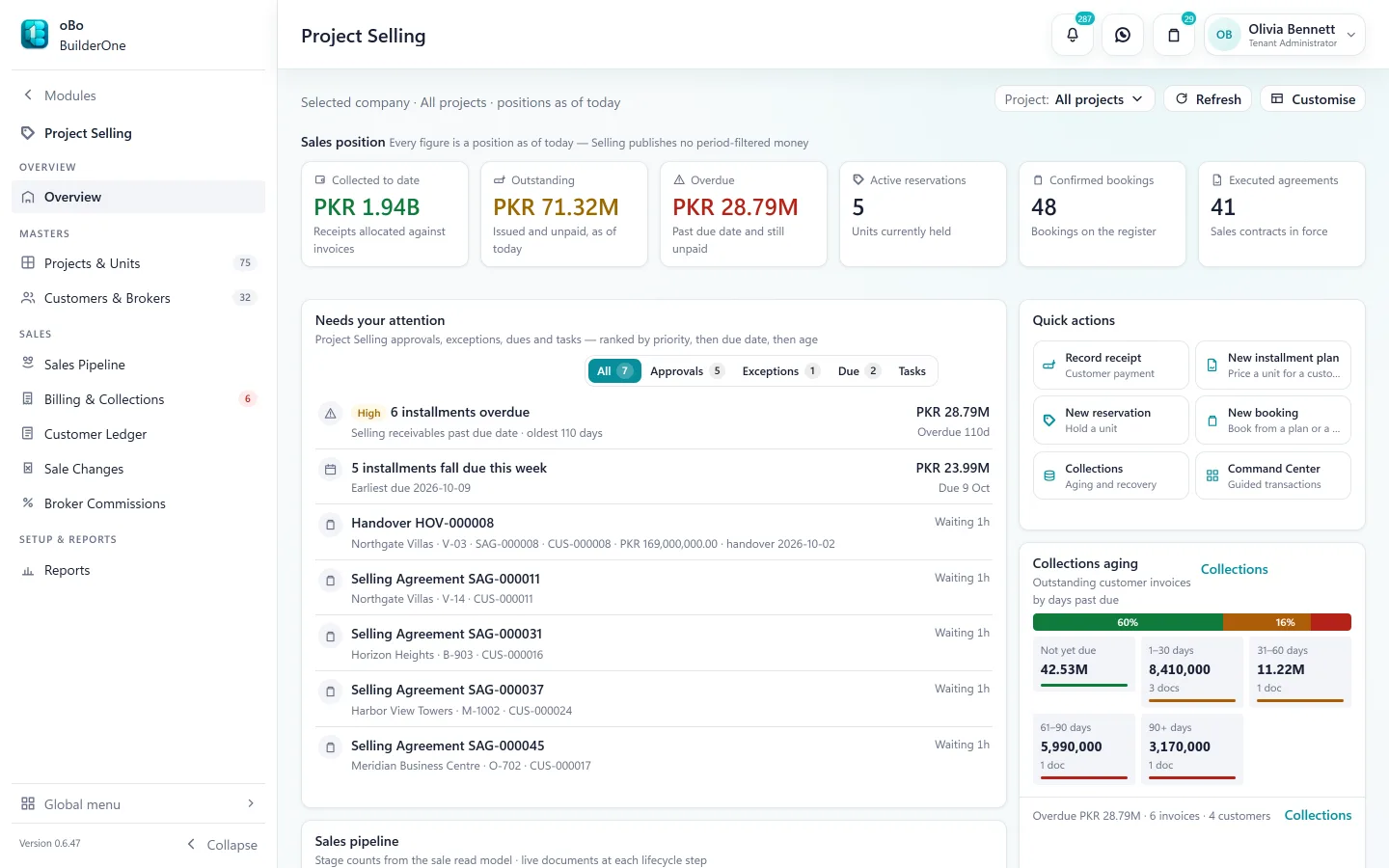
- One unit inventory per project — available, held, booked, sold
- Each booking gets its schedule from the installment plan it was sold on
- A recovery worklist ranks overdue invoices, oldest first
- Cancellations, transfers and refunds are documents with approvals
- Profit & loss by project, from the same ledger as everything else
The sale, step by step
One connected flow from enquiry to recognised revenue
Each step produces the document the next one needs. Nothing is typed twice.
Lead and deal
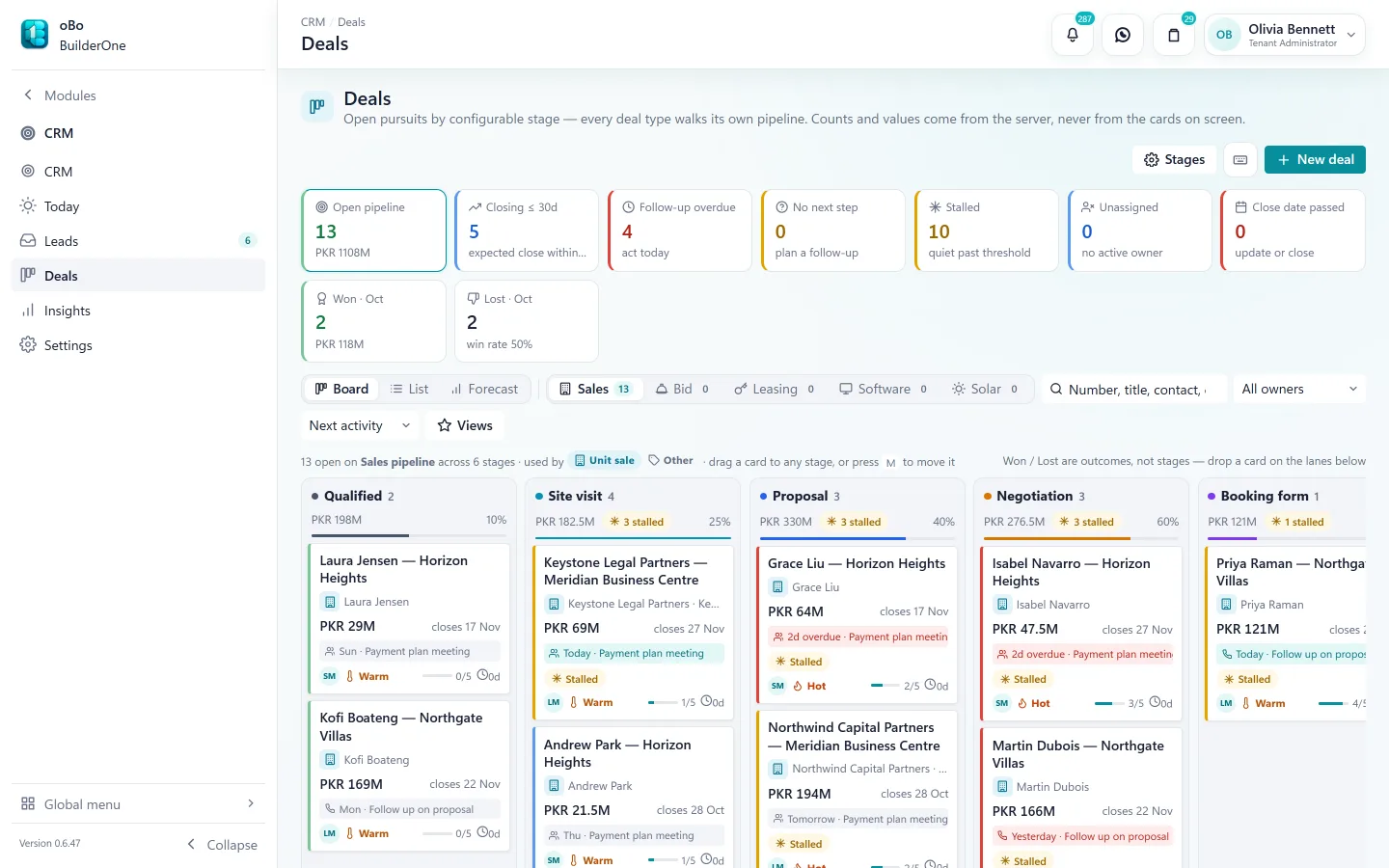
Capture leads from your website form, a spreadsheet (CSV) import or by hand. Assign them, schedule follow-ups, and work each deal through your own pipeline stages.
Customer and unit
A won deal creates the customer in Project Selling. Pick the unit from the project’s live inventory, priced from the active price list.
Hold and booking
Hold the unit while terms are agreed, then confirm the booking. Holds about to lapse show up on the landing page.
Installment plan and agreement
Choose a plan template; BuilderOne builds this customer’s schedule from it. The sale agreement goes through your approval route before it is executed.
Invoices and collections
Invoices are generated from schedule lines. Record receipts, add late-payment penalties, and see ageing by project.
Invoices and receipts post to the ledgerHandover
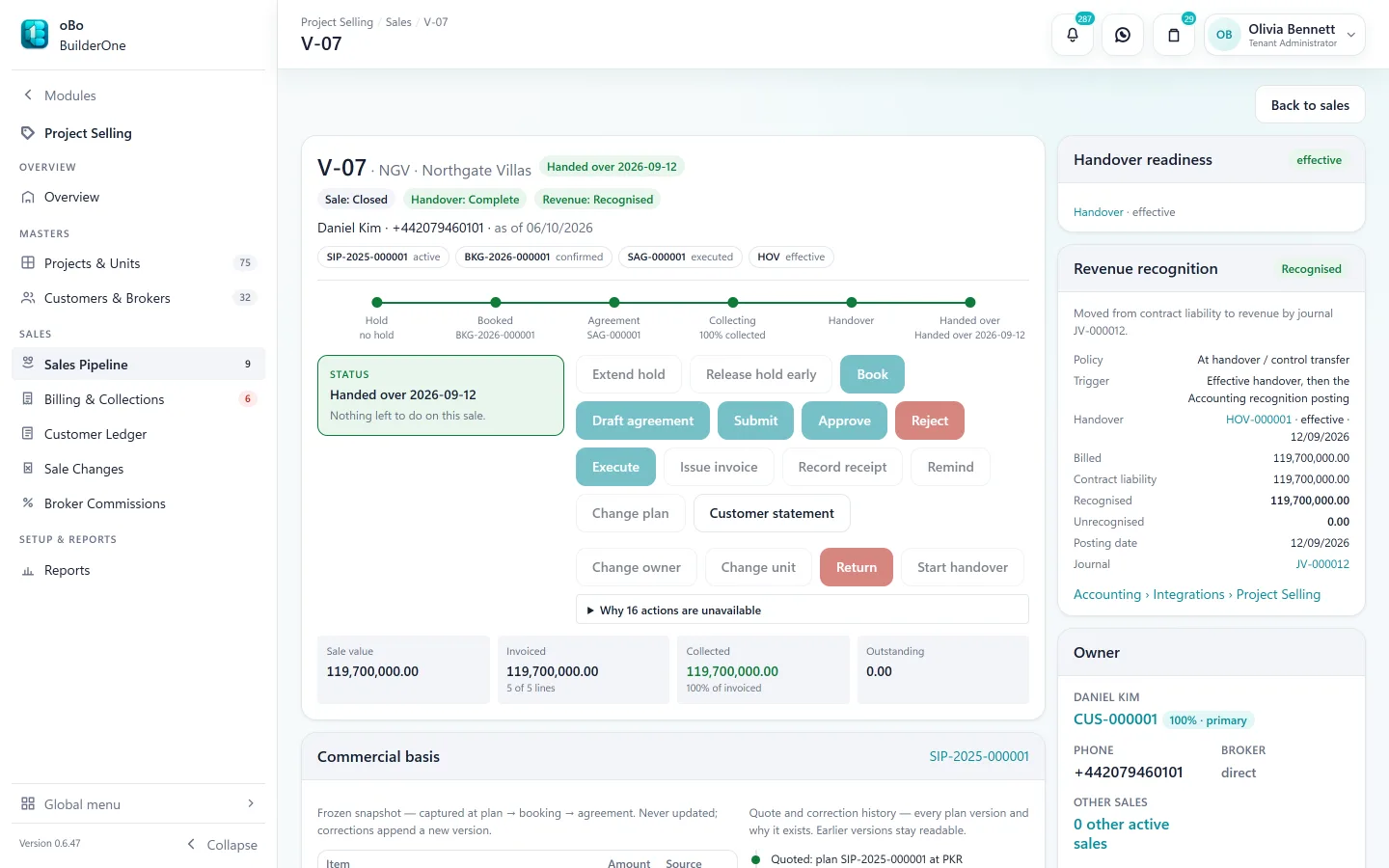
Record the handover once the unit is ready and the account is in order. The sale file shows exactly what is still blocking it.
Revenue
At handover, recognise the sale: the billed amount moves from contract liability to sales revenue, with a journal you preview first.
Revenue recognised in the ledger
When plans change
Real sales are not a straight line
The awkward cases are where spreadsheets and generic accounting packages fail. They are ordinary documents here.
Cancellations and returns
Cancel a sale or accept a return with the forfeiture and refund worked out, approved and tracked to payout.
Transfers and unit changes
Transfer an agreement to a new owner, or move a customer to a different unit, without losing the payment history.
Broker commissions
Record commissions against sales, pay them out, and give each broker a statement.
Customer ledger
One statement per customer across invoices, receipts, penalties and refunds — printable.
Approvals built in
Offers, agreements and sale changes follow the approval routes you set.
WhatsApp sharing
Send documents and reminders to customers on WhatsApp from inside the system.
Beyond the sales office
The same system builds the project and keeps its books
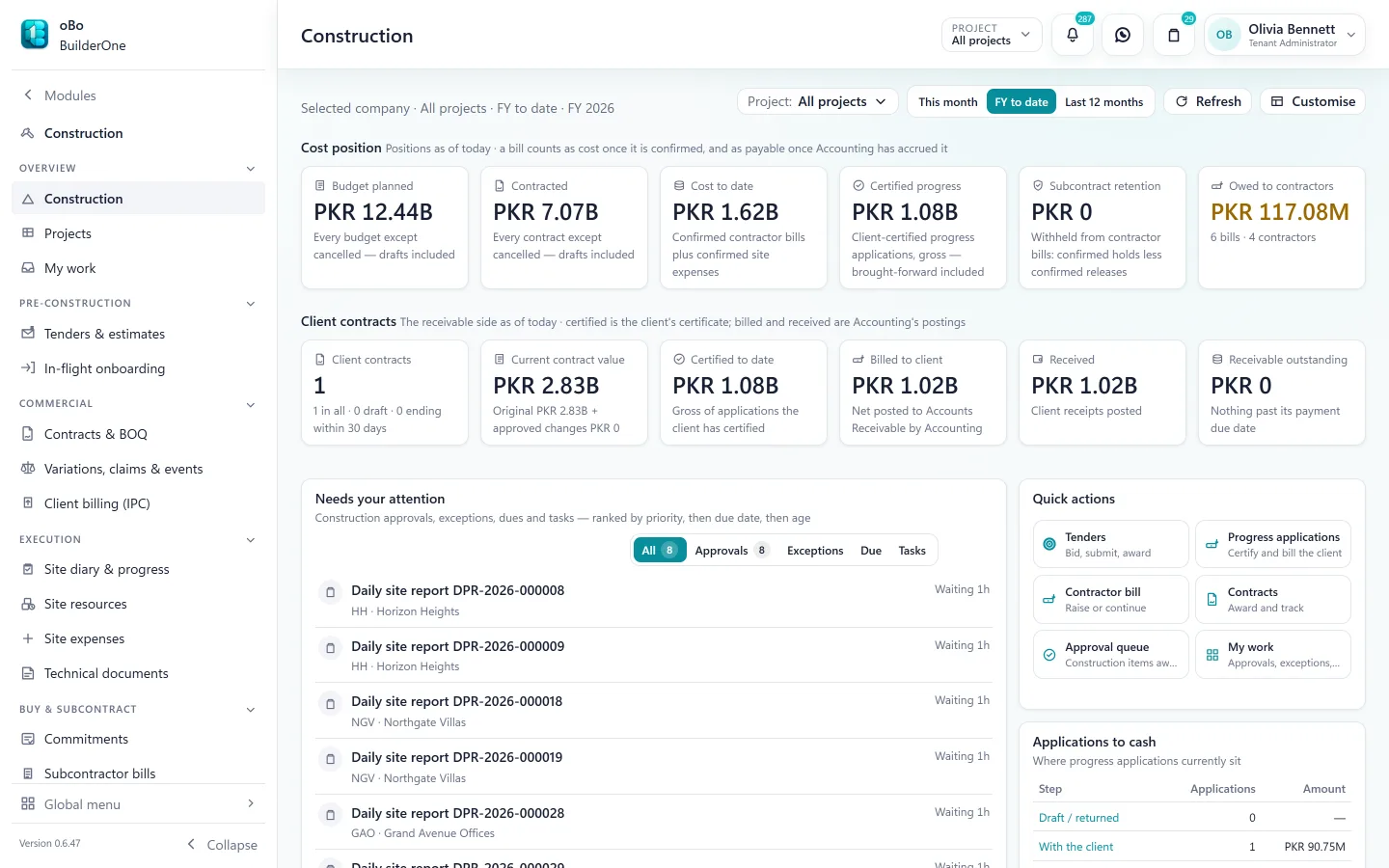
Developers rarely only sell. BuilderOne carries the same project through construction, purchasing, investor funding and accounting.
- Construction — contracts, contractor bills, retention and budget against cost
- Procurement — requests, quotes, purchase orders, receipts and vendor bills
- Investor Management — capital per project, profit distributions and payouts
- Accounting — every one of those on the same ledger, reportable by project
Straight answers
Questions buyers ask us
Including the ones where the answer is “not today”.
Can we recognise unit-sale revenue over time (percentage of completion)?
Not today. Unit-sale revenue is recognised at handover: collections sit in a contract-liability account until then. Construction contracts are different — they support cost-to-cost, certified-progress and manual-progress recognition.
Can customers log in to see their own ledger?
No. There is no customer portal. Your team prints or shares the customer ledger, including over WhatsApp.
Do you support brokers and dealers?
Yes. Brokers are parties in the system; commissions, commission payouts and broker statements are part of Project Selling.
We already have running projects. Can we start mid-way?
Yes — that is the normal case. We agree an opening position with you during setup. We plan a PBooksPro migration with you during setup; for other systems we review your data with you first.
Does it work on a phone?
BuilderOne is built for desktop and laptop browsers. There is no mobile app.
See BuilderOne running on a business like yours
A walkthrough of about half an hour with the team that builds it — on your kind of projects, units and billing, not a canned slideshow.
- Tell us what you run. Four fields — it takes under a minute.
- We get back to you to arrange a time that suits you.
- We walk through your workflow — sale, rent, site or books — in the real product.